> For the complete documentation index, see [llms.txt](https://doc.thordata.com/doc/llms.txt). Markdown versions of documentation pages are available by appending `.md` to page URLs; this page is available as [Markdown](https://doc.thordata.com/doc/proxies/integration-tutorial/mobile-proxies-integration/clonbrowser.md).
# ClonBrowser
### What is ClonBrowser?
ClonBrowser is a versatile and powerful tool that automates repetitive online tasks and securely manages multiple accounts across different platforms. It offers a customizable anti-detection environment, advanced fingerprinting options, and a set of automated templates, making it the first choice for increased efficiency and privacy.
Here's how to integrate Thordata with ClonBrowser.
{% stepper %}
{% step %}
[Download](https://www.clonbrowser.com/download) ClonBrowser, install and log in to ClonBrowser
{% endstep %}
{% step %}
Click **\[New Browser]** in the menu bar on the left to start creating
 {% endstep %}
{% step %}
Click **\[Proxy]** and select **\[Custom]** in the mode
{% endstep %}
{% step %}
Click **\[Proxy]** and select **\[Custom]** in the mode
 {% endstep %}
{% step %}
Select **\[HTTP]** in the proxy type
{% endstep %}
{% step %}
Select **\[HTTP]** in the proxy type
 {% endstep %}
{% step %}
Enter the **\[Host]** and **\[Port]** information
{% endstep %}
{% step %}
Enter the **\[Host]** and **\[Port]** information
 {% endstep %}
{% step %}
Enter **\[Username]** and **\[Password]**
{% endstep %}
{% step %}
Enter **\[Username]** and **\[Password]**
 {% endstep %}
{% step %}
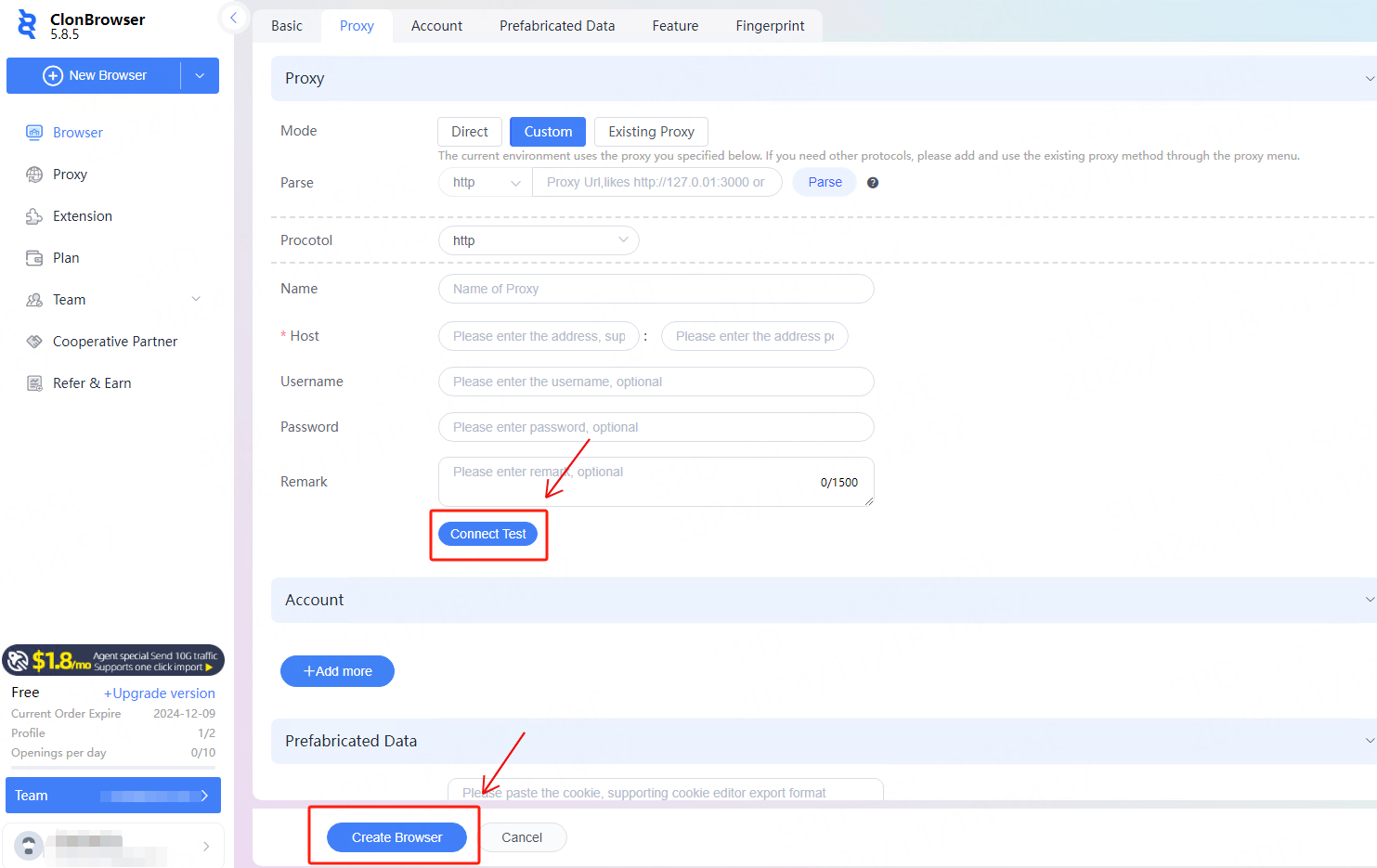
After the proxy information is configured, click **\[Connect Test]** to test. After confirming that the test is successful, click **\[Create Browser]** to create it.
{% endstep %}
{% step %}
After the proxy information is configured, click **\[Connect Test]** to test. After confirming that the test is successful, click **\[Create Browser]** to create it.
 {% endstep %}
{% step %}
After successful creation, click **\[Launch]** to start using it.
{% endstep %}
{% step %}
After successful creation, click **\[Launch]** to start using it.
 {% endstep %}
{% endstepper %}
{% endstep %}
{% endstepper %}