> For the complete documentation index, see [llms.txt](https://doc.thordata.com/doc/llms.txt). Markdown versions of documentation pages are available by appending `.md` to page URLs; this page is available as [Markdown](https://doc.thordata.com/doc/scraping/webpage/quick-start-guide.md).
# Quick Start Guide
Follow the WebPage API quick start to obtain an API token, configure JavaScript rendering and location targeting, retrieve HTML or PNG results, and download code examples.
#### How to Start Using the WebPage
Follow these simple steps to quickly start using Thordata's API to bypass website restrictions and seamlessly extract data:
{% stepper %}
{% step %}
**Register**
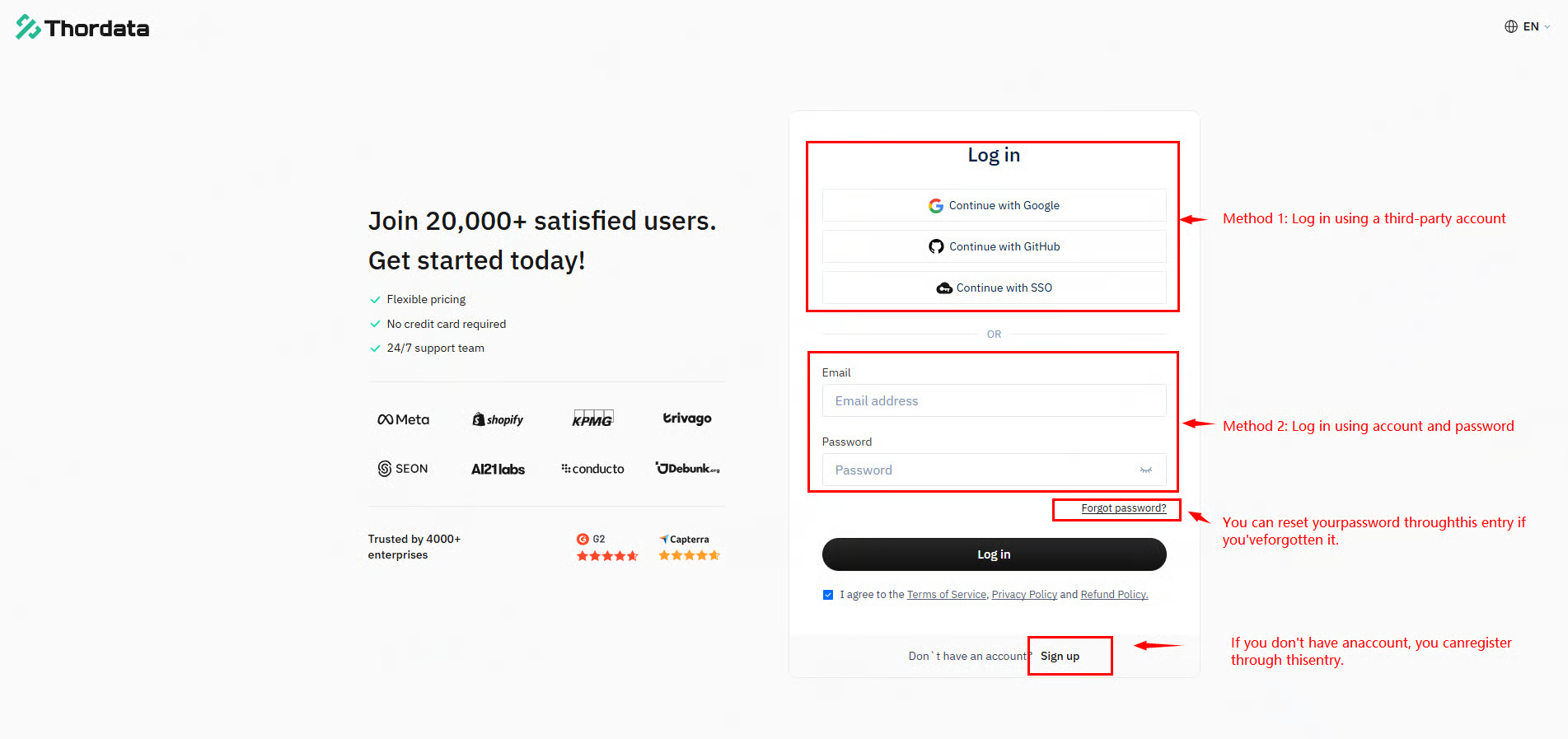
Visit the [Thordata official website](https://dashboard.thordata.com/login), click [\[Register\]](https://dashboard.thordata.com/register) and fill in your email address, password, and other details to complete the registration.
Alternatively, register instantly using your Google or GitHub account. After registration, you can log in to your dashboard.
{% endstep %}
{% step %}
**Apply for a Free Trial**
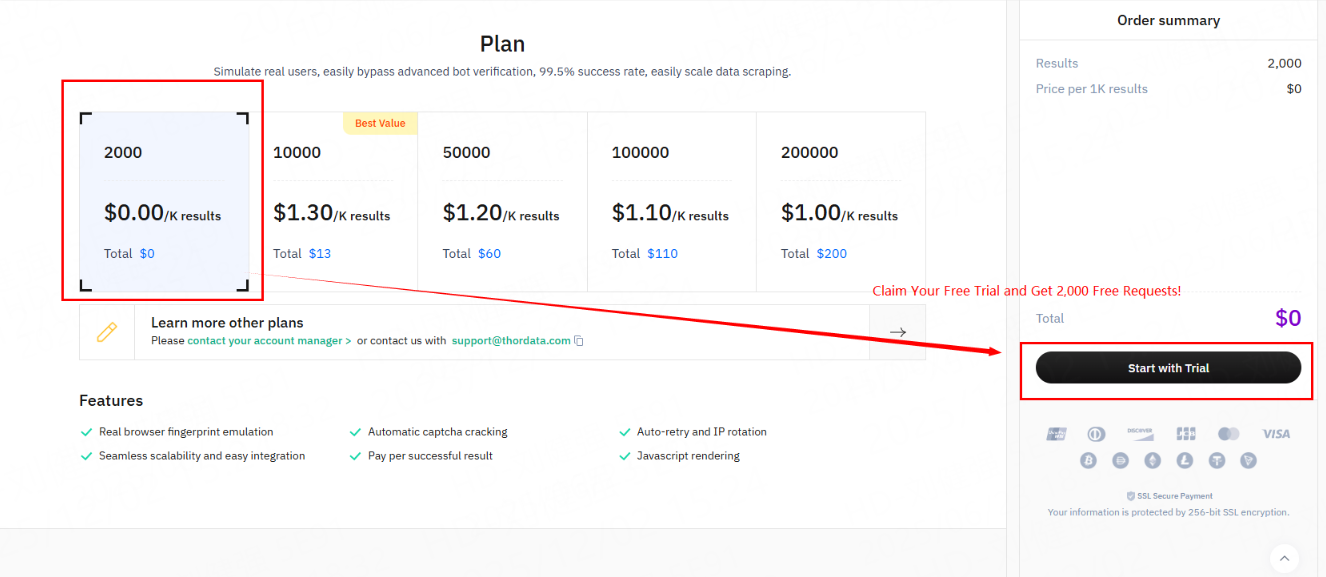
After logging in, navigate to \[**WebPage**] **>**[ \[Pricing\]](https://dashboard.thordata.com/universal-scraping) apply for a free trial.
{% endstep %}
{% step %}
**Obtain Your API Token**\
After claiming your free trial, go to [\[API Playground\]> "Token"](https://dashboard.acen.http.321174.com/universal-scraping/configure) to copy your token.
{% endstep %}
{% step %}
**Configure Parameters**
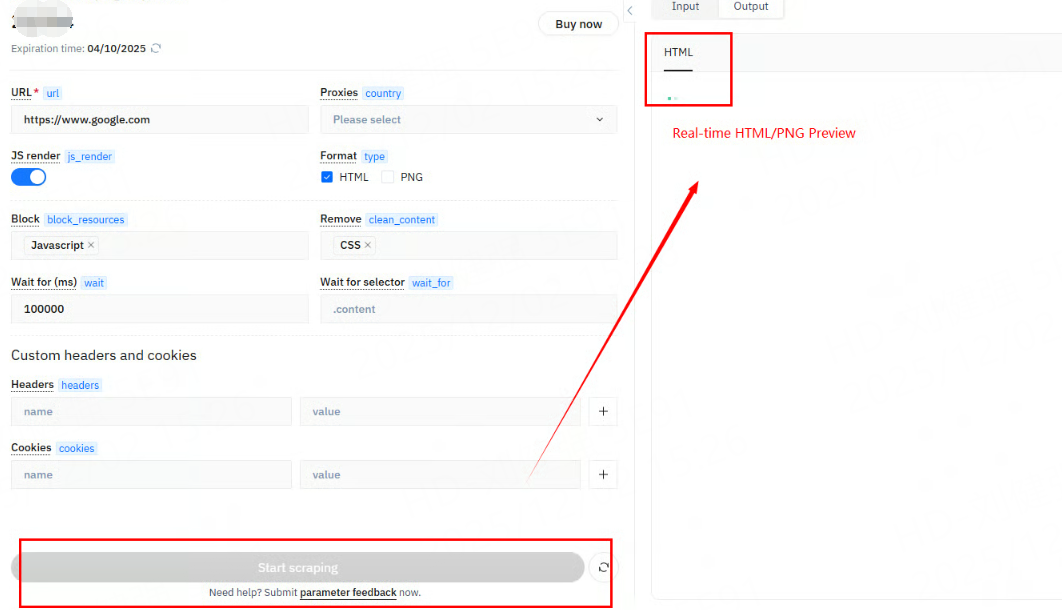
After selecting your target URL, you can configure core parameters and output formats including JavaScript rendering, country/region targeting, and HTML/PNG outputs.Once the configuration is complete, the right-side panel allows you to select and copy code snippets in your preferred format (cURL, Python, C#, Go, Node.js, etc.) for integration into your platform.
[ Click here](https://doc.thordata.com/doc/universal-scraping-api/query-parameters) to learn more about additional available parameters.
{% endstep %}
{% step %}
**Start Scraping**
After configuring the parameters, click on **\[Start Scraping]** to view the real-time captured results (PNG/HTML) in the right-side panel according to your output format settings. For assistance during the process, click on **\[Parameter Feedback]** to get support.
{% endstep %}
{% step %}
**Preview and Download Results**
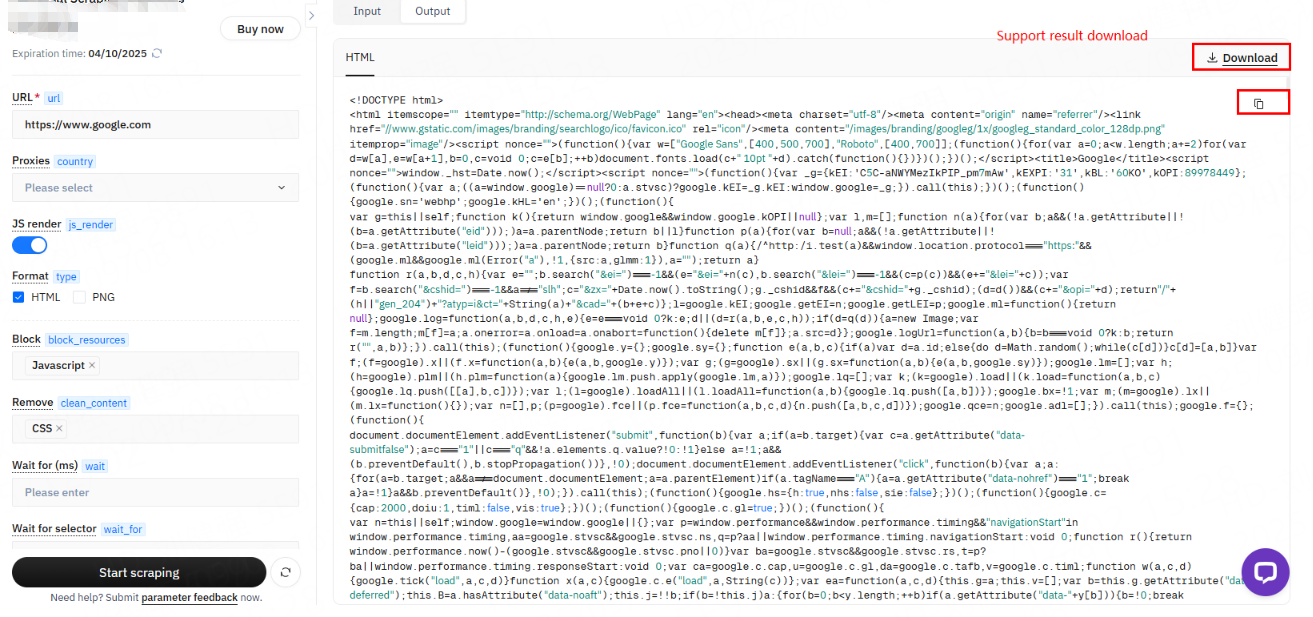
After the task is completed, the right-side panel of the dashboard will display the final scraped data based on the selected output type, along with options to download the PNG or HTML source code.
{% endstep %}
{% endstepper %}
For further assistance, please contact us at [**support@thordata.com**](https://mailto:support@thordata.com/).