> For the complete documentation index, see [llms.txt](https://doc.thordata.com/doc/llms.txt). Markdown versions of documentation pages are available by appending `.md` to page URLs; this page is available as [Markdown](https://doc.thordata.com/doc/zh-hk/dai-li/isp-dai-li/zhang-mi-ren-zheng.md).
# 賬密認證
{% stepper %}
{% step %}
### **注冊登錄**
訪問[**Thordata官網**](https://www.thordata.com/),完成帳戶註冊並登入。
{% endstep %}
{% step %}
### **購買套餐**
進入儀表板後,依次導航至 **代理 → ISP代理 → 定價**:
* 根據需要選擇 **IP時長**,即IP的有效時間,可選擇7天和30天
* 根據需要選擇 **IP國家**,您的業務在哪個國家開展,就優先選擇該國家的IP
* 根據需要選擇 **IP數量**,一次性購買數量越多每個IP的單價就越優惠
* 根據需要選擇 **IP類型**,Thordata靜態ISP業務為您提供普通IP和原生IP(原生IP具備更高純淨度、強穩定性和低延遲,完美匹配高級風控需求),然後點擊 **繼續結賬** 完成交易。
{% endstep %}
{% step %}
### **代理列表管理**
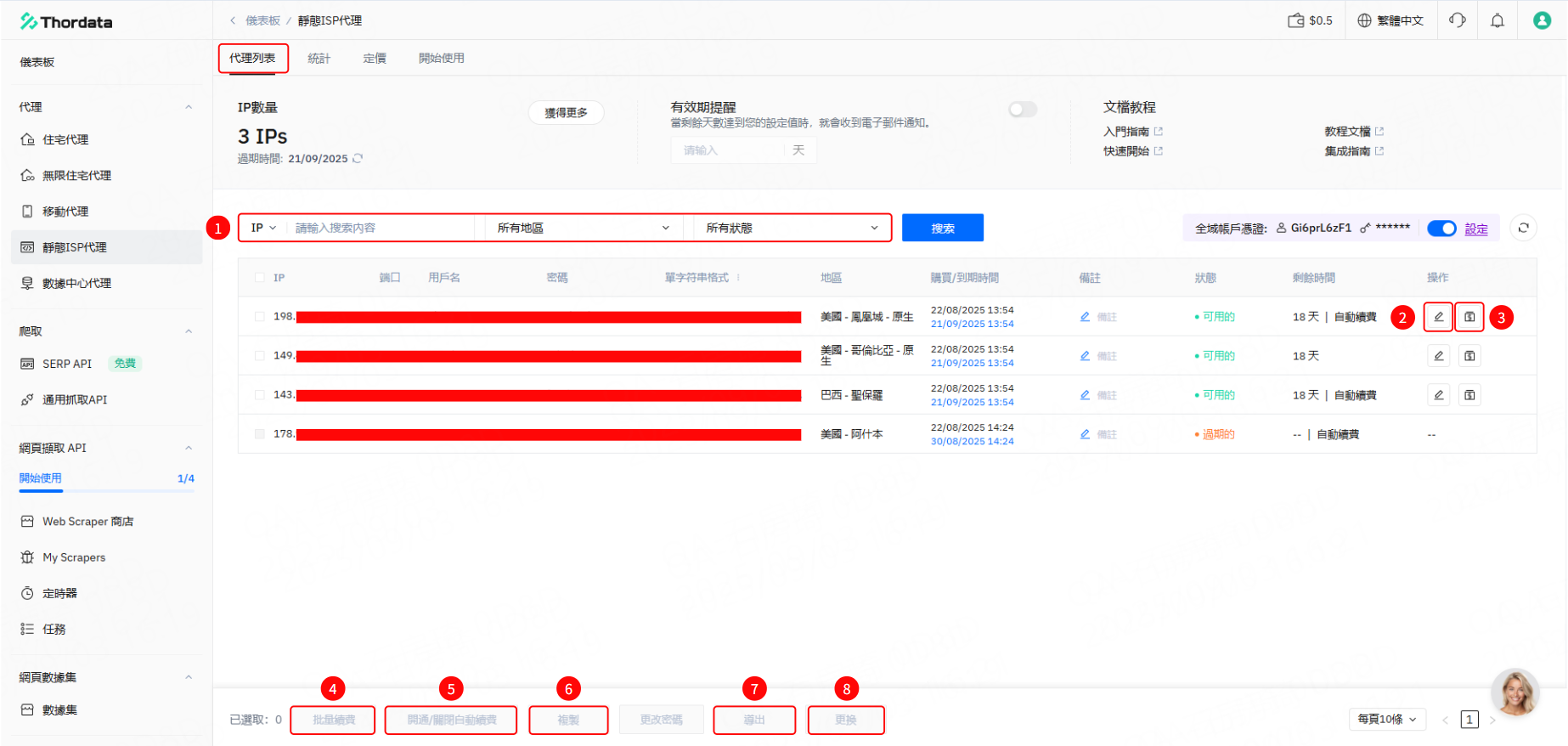
購買完成後,在 **代理** → **靜態ISP代理** → **代理列表** 可以看到已購買的IP。
① 輸入 **IP/用戶名/密碼**或選擇 **地區**、**狀態**可搜索指定IP。
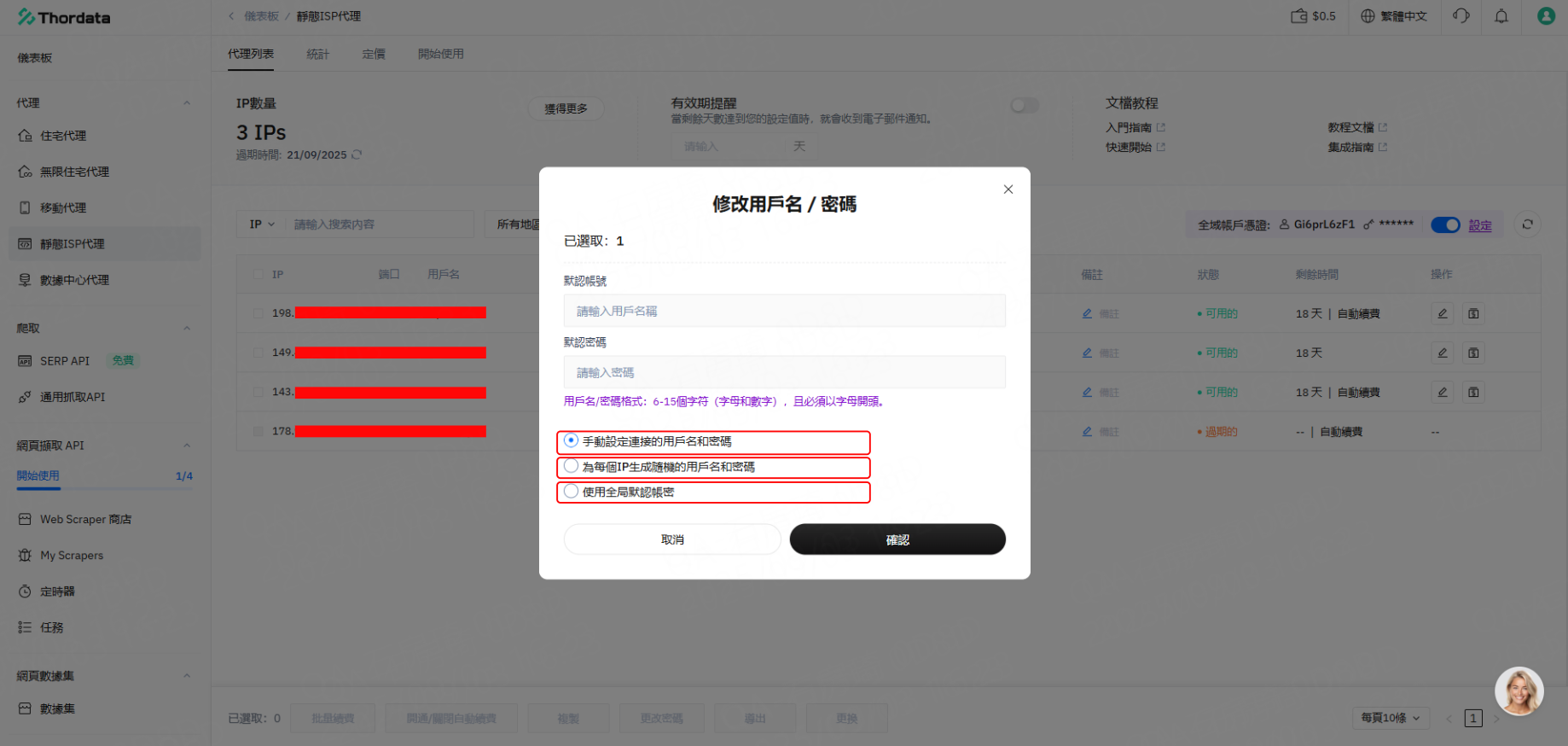
② **編輯賬密**:編輯帳號密碼:選中需要修改帳號密碼的IP,可選擇三種編輯方式:手動設置、隨機生成、或使用全域預設帳號密碼(系統初始設置的統一帳號密碼,適用於所有代理IP的登入認證)。
③ **續費**:針對單條需要續費的IP,可輸入續費時長(支持按「週」或「月」為單位)進行續費操作。
④ **批量續費**:勾選所有需要續費的IP,點擊 **【批量續費】** 即可一次性為所選IP完成續費。
⑤ **自動續費**:勾選需要開啟自動續費的IP即可啟用該功能;如要取消,勾選已開啟自動續費的IP並操作取消即可(支持選擇續費週期)。
⑥ **複製**:可按所選格式複製已勾選IP的信息。
⑦ **導出**:支持將所選IP信息按指定格式導出為TXT文件。
⑧ **更換**:購買套餐後的10分鐘內,或IP處於中斷狀態時,可進行更換操作。
{% endstep %}
{% step %}
### **使用情況統計**
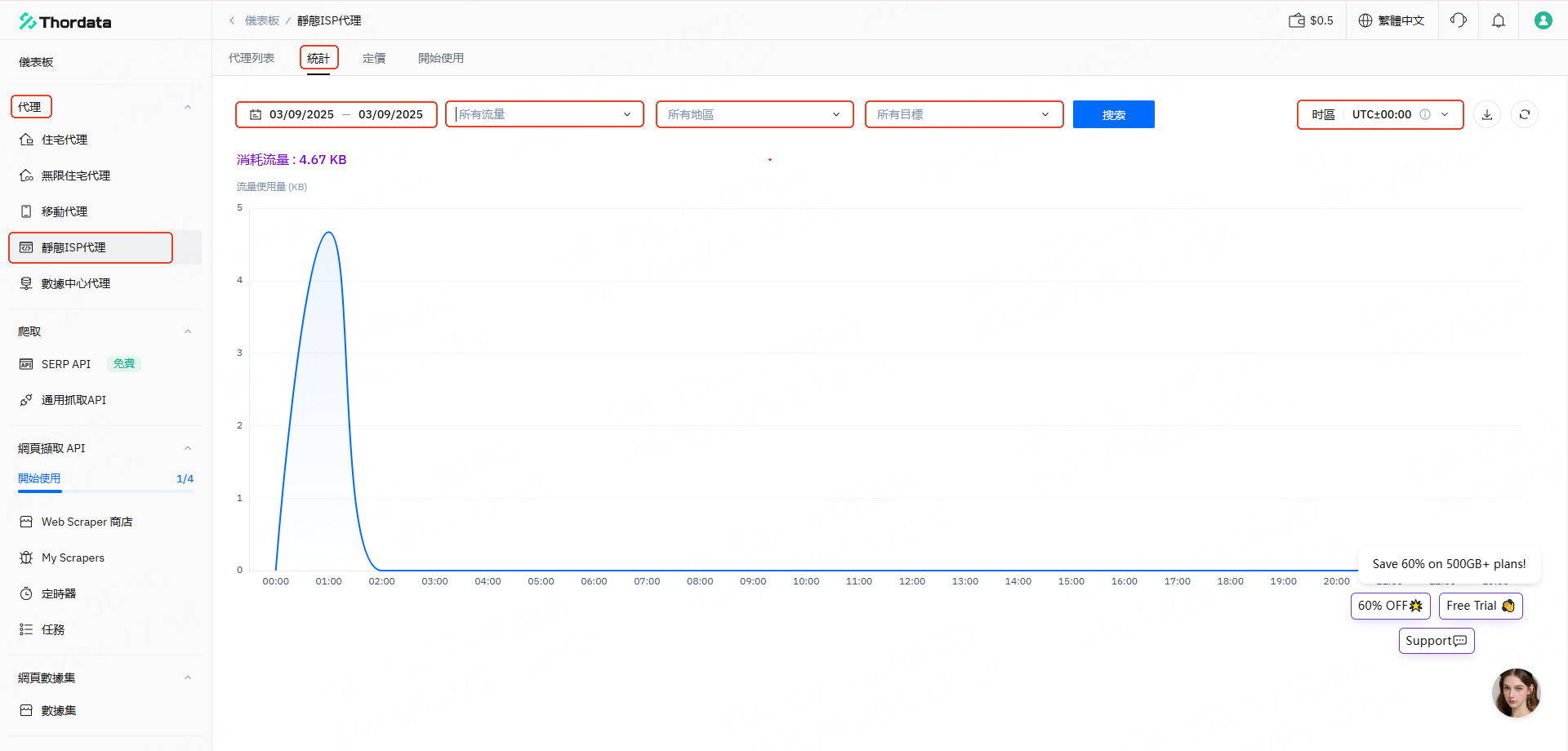
您可以通過訪問 Thordata儀表板查看動態住宅代理的使用情況統計。進入儀表板後,依次導航至 **代理 → 靜態ISP代理 → 統計** 界面,可以按照時間、IP地址、地區、目標、时区等維度篩選流量使用數據。
{% endstep %}
{% endstepper %}