> For the complete documentation index, see [llms.txt](https://doc.thordata.com/doc/llms.txt). Markdown versions of documentation pages are available by appending `.md` to page URLs; this page is available as [Markdown](https://doc.thordata.com/doc/zh-hk/web-unlocker/ru-men-zhi-nan.md).
# 入門指南
**如何開始使用網頁解鎖器**
透過以下簡單步驟快速開始使用 Thordata 的網頁解鎖器,繞過網站限制並無縫提取資料:
{% stepper %}
{% step %}
**註冊**
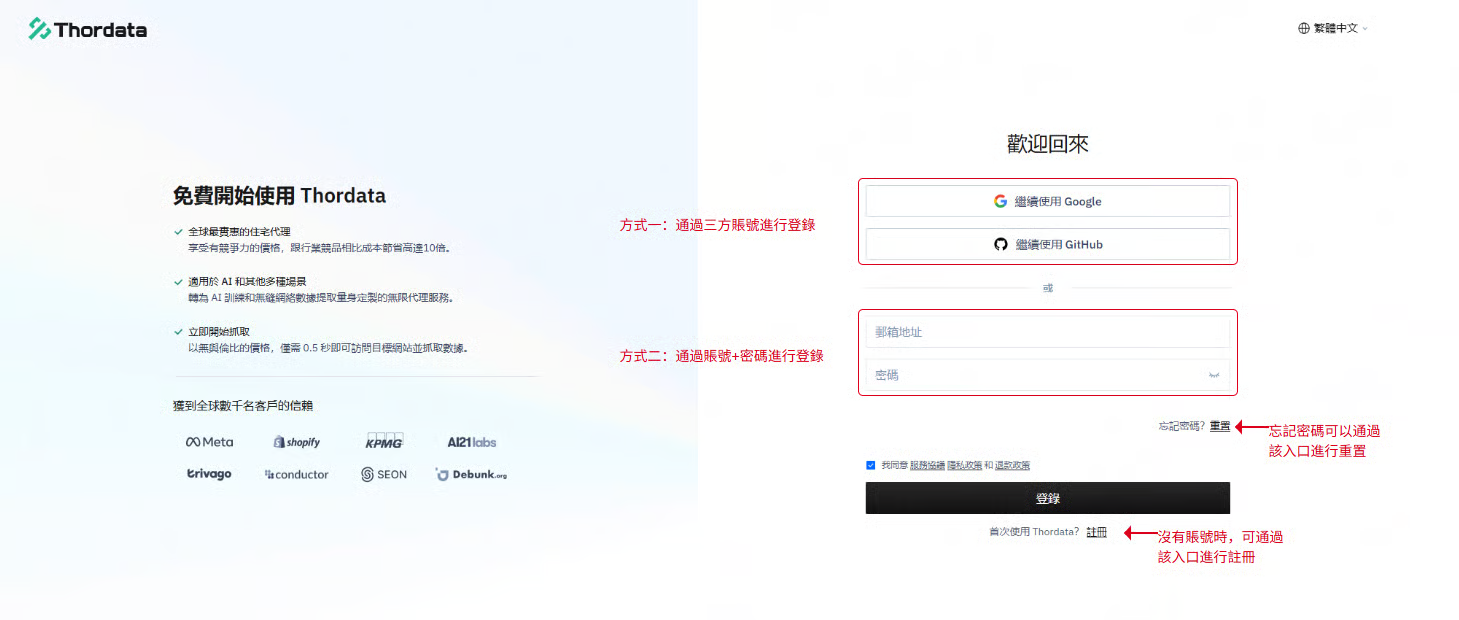
訪問 [Thordata 官網](https://dashboard.thordata.com/zh-hk/login),點擊[【註冊】](https://dashboard.thordata.com/zh-hk/register)並填寫您的電子郵件、密碼和其他詳細資訊以完成註冊。\
或者,直接使用您的 Google 或 GitHub 帳號立即註冊。註冊後,即可登入您的儀表板。
{% endstep %}
{% step %}
**申請免費試用**
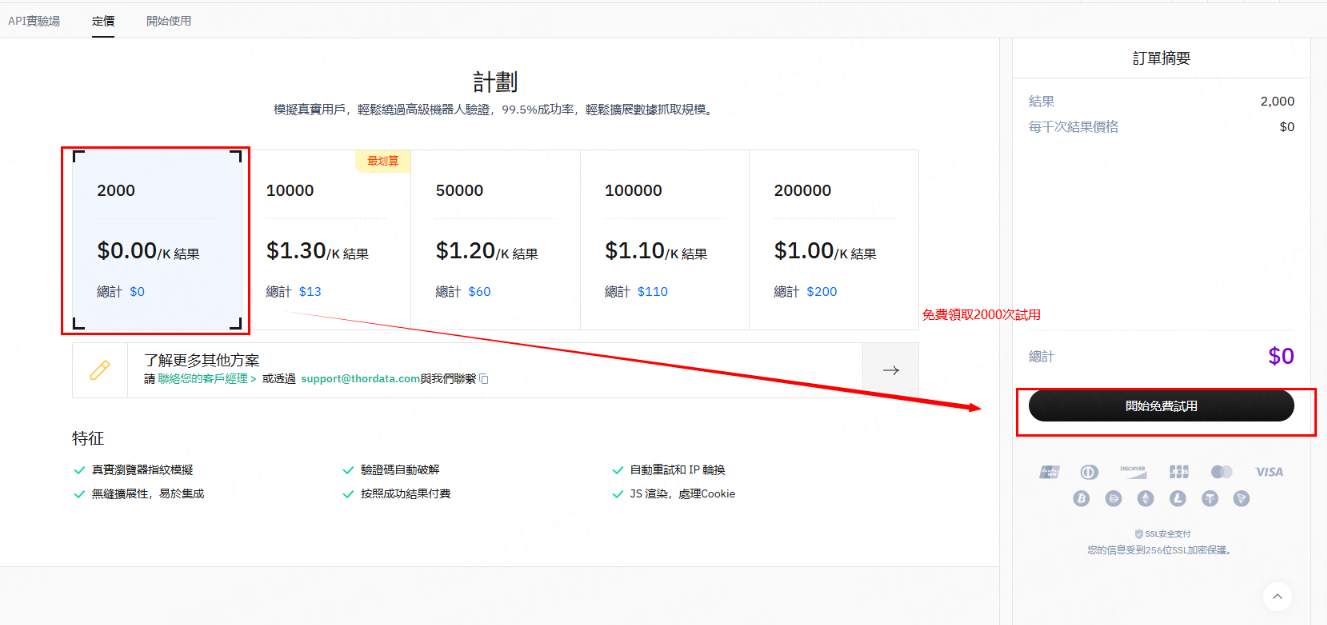
登入後,導航至【Universal Scraping API】>[【定價】](https://dashboard.thordata.com/zh-hk/universal-scraping)以申請免費試用。
{% endstep %}
{% step %}
**獲取您的 API Token**
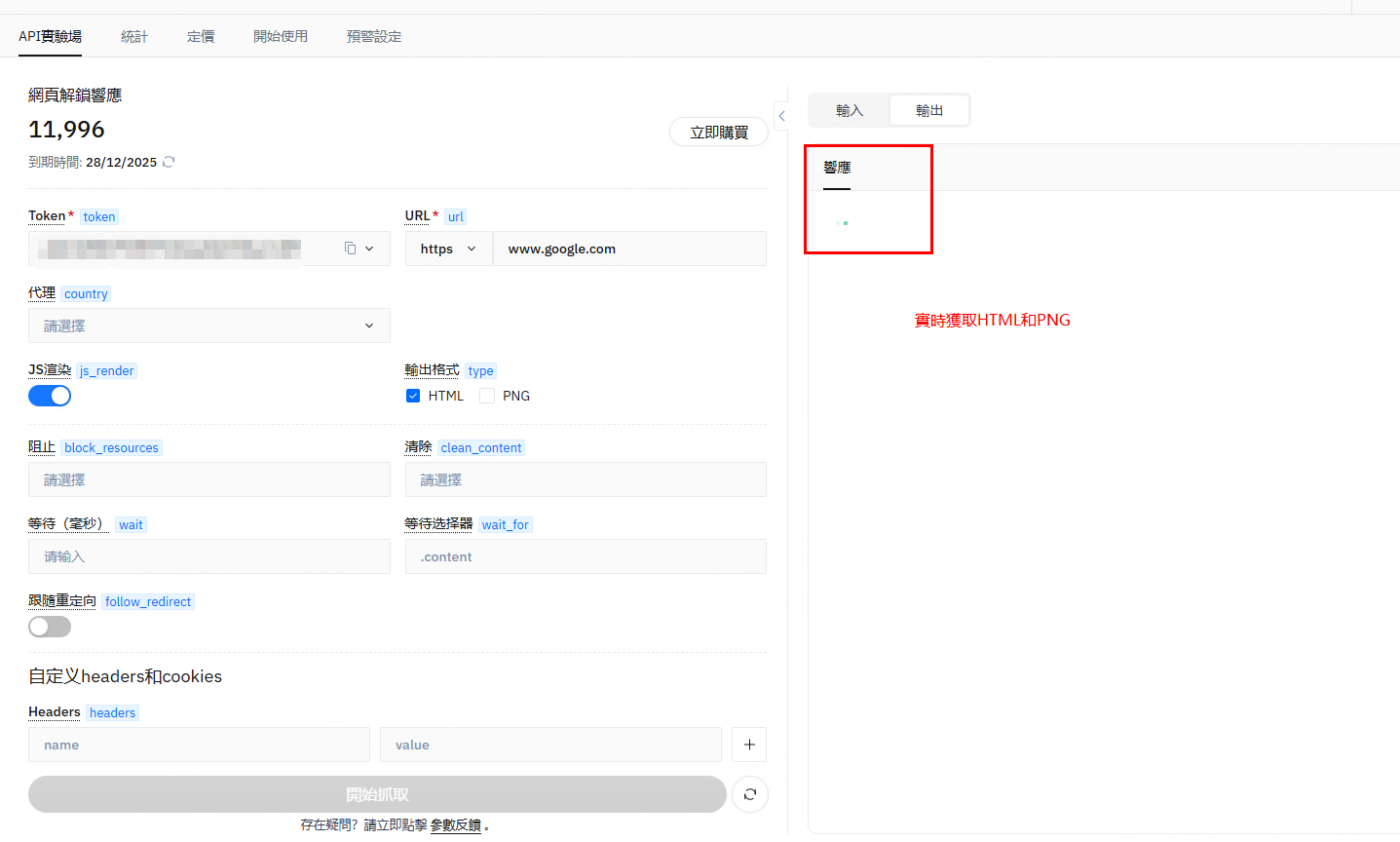
成功領取試用後,請前往[【API Playground】](https://dashboard.thordata.com/zh-hk/universal-scraping/configure)複製您的憑證。
{% endstep %}
{% step %}
**配置參數**
選擇目標 URL 後,您可以設定核心參數和輸出格式,包括:JavaScript 渲染、國家/地區定位、HTML/PNG 輸出格式等。
設定完成後,右側面板會顯示對應的程式碼片段(支援 cURL、Python、C#、Go、Node.js 等格式),方便您整合到自己的平台中。
{% endstep %}
{% step %}
**開始抓取**
設定好參數後,點擊【開始抓取】,即可在右側面板根據您選擇的輸出格式(PNG/HTML)查看即時抓取結果。
\
如需操作過程中的協助,請點擊【Parameter Feedback】以獲得支援。
{% endstep %}
{% step %}
**預覽與下載結果**
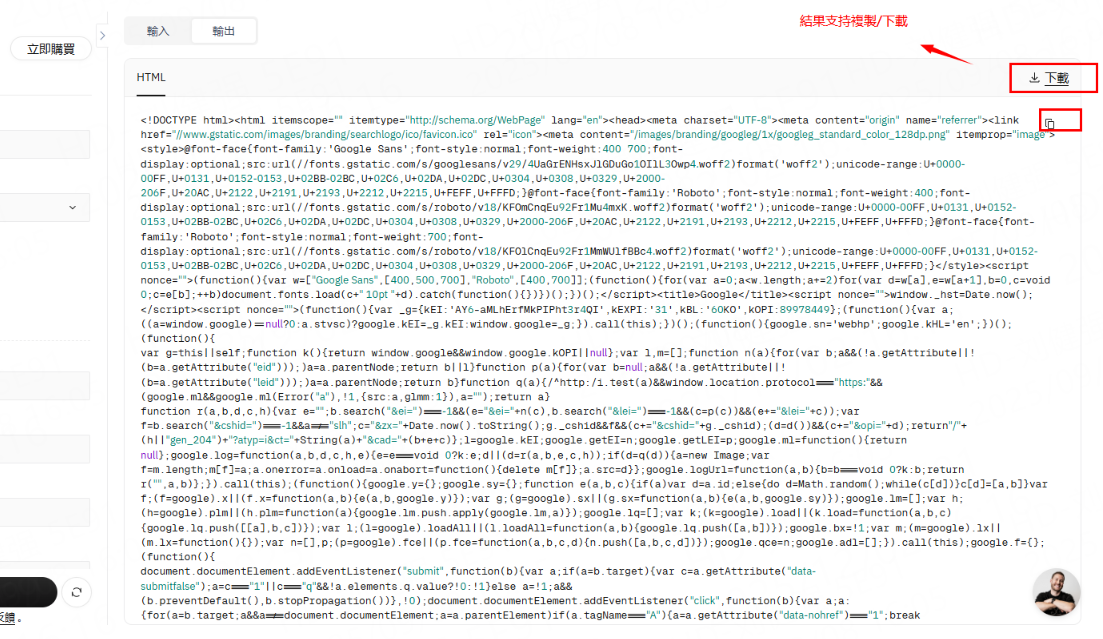
任務完成後,儀表板右側面板將根據您選擇的輸出類型顯示最終抓取的資料,並提供 PNG 或 HTML 原始碼的下載選項。
{% endstep %}
{% endstepper %}
如需進一步協助,請透過 [support@thordata.com](https://mailto:support@thordata.com/) 聯絡我們。