> For the complete documentation index, see [llms.txt](https://doc.thordata.com/doc/llms.txt). Markdown versions of documentation pages are available by appending `.md` to page URLs; this page is available as [Markdown](https://doc.thordata.com/doc/zh/proxies/isp-dai-li/zhang-mi-ren-zheng.md).
# 账密认证
设置 Thordata 静态 ISP 代理的用户名和密码身份验证,涵盖账户注册、套餐设置、代理管理和用量查看。
本指南提供通过账密认证接入 Thordata 静态 ISP 代理服务所需的基础信息与操作流程
{% stepper %}
{% step %}
### **注册登录**
访问 [**Thordata 官网**](https://www.thordata.com/),完成账户注册并登录。
{% endstep %}
{% step %}
### **购买套餐**
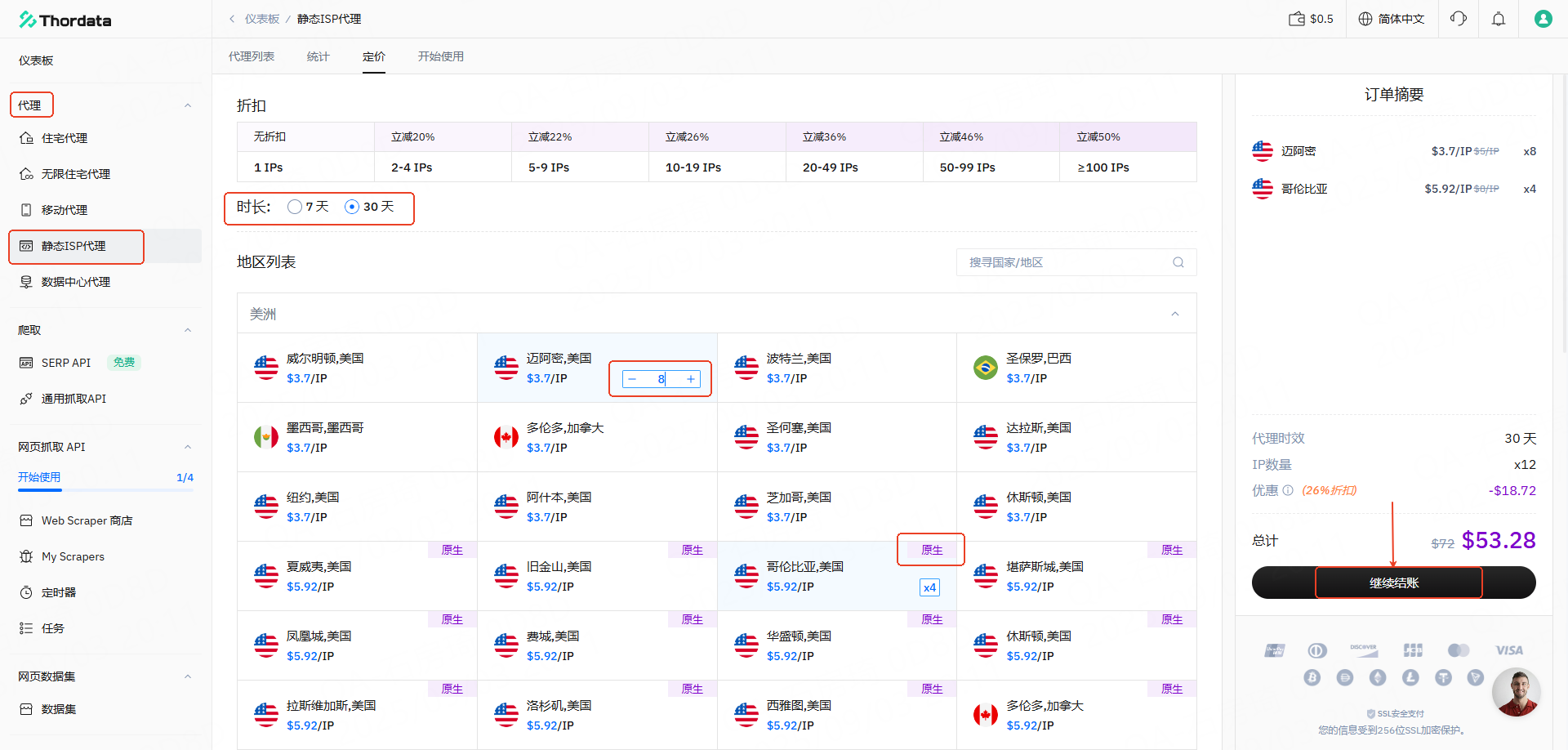
进入仪表板后,依次导航至 **代理 → ISP 代理 → 定价** :
* 根据需要选择 **IP 时长**,即IP的有效时间,可选择7天和30天
* 根据需要选择 **IP 国家**,您的业务在哪个国家开展,就优先选择该国家的 IP
* 根据需要选择 **IP 数量,**一次性购买数量越多每个 IP 的单价就越优惠
* 根据需要选择 **IP 类型**,Thordata 静态 ISP 业务为您提供普通 IP 和原生 IP(原生 IP 具备更高纯净度、强稳定性和低延迟,完美匹配高级风控需求),然后点击 **继续结账** 完成交易。
{% endstep %}
{% step %}
### **代理列表管理**
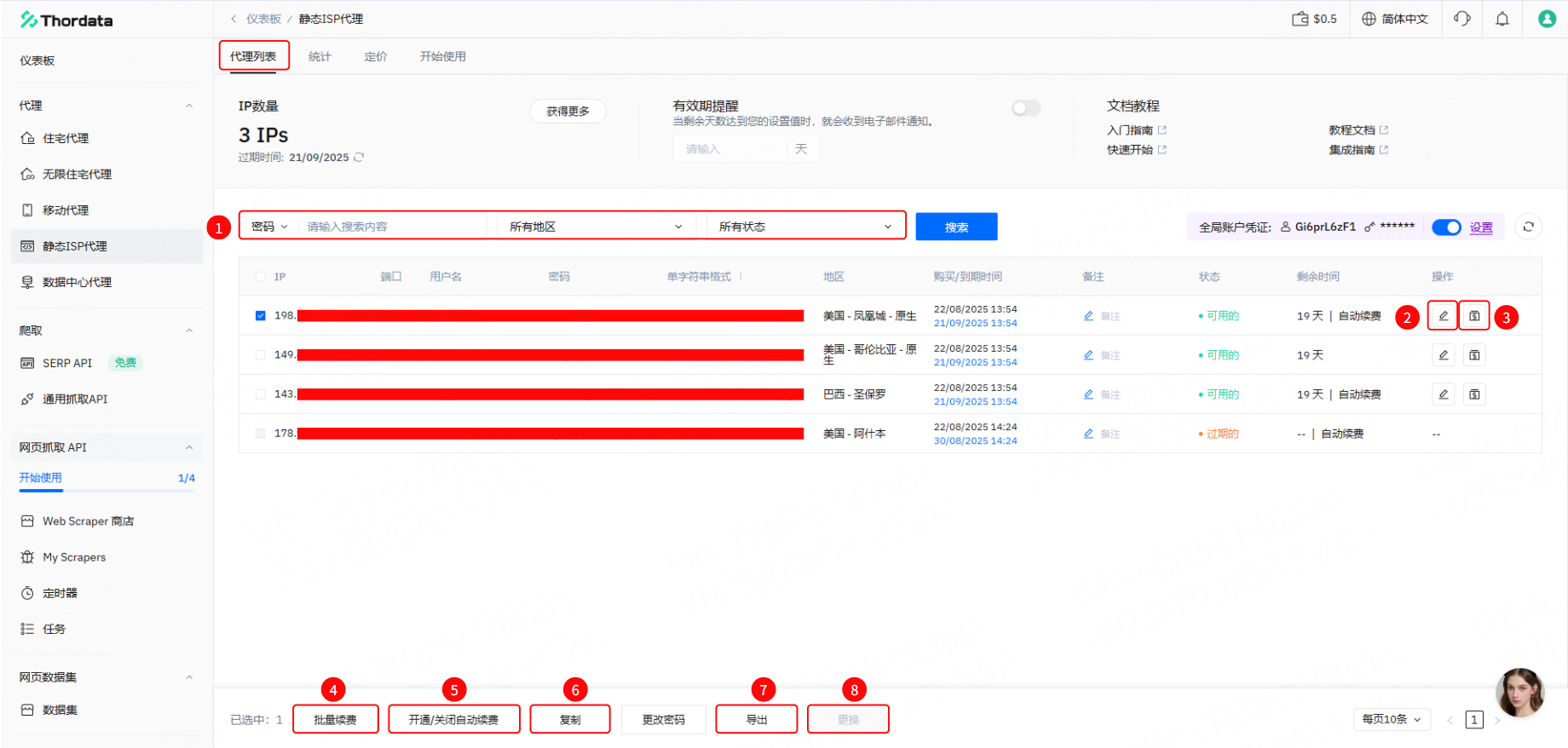
购买完成后,在 **代理** → **静态 ISP 代理** → **代理列表** 可以看到已经购买的 IP
① 输入 **IP/用户名/密码**或选择 **地区**、**状态**可以搜索指定IP。
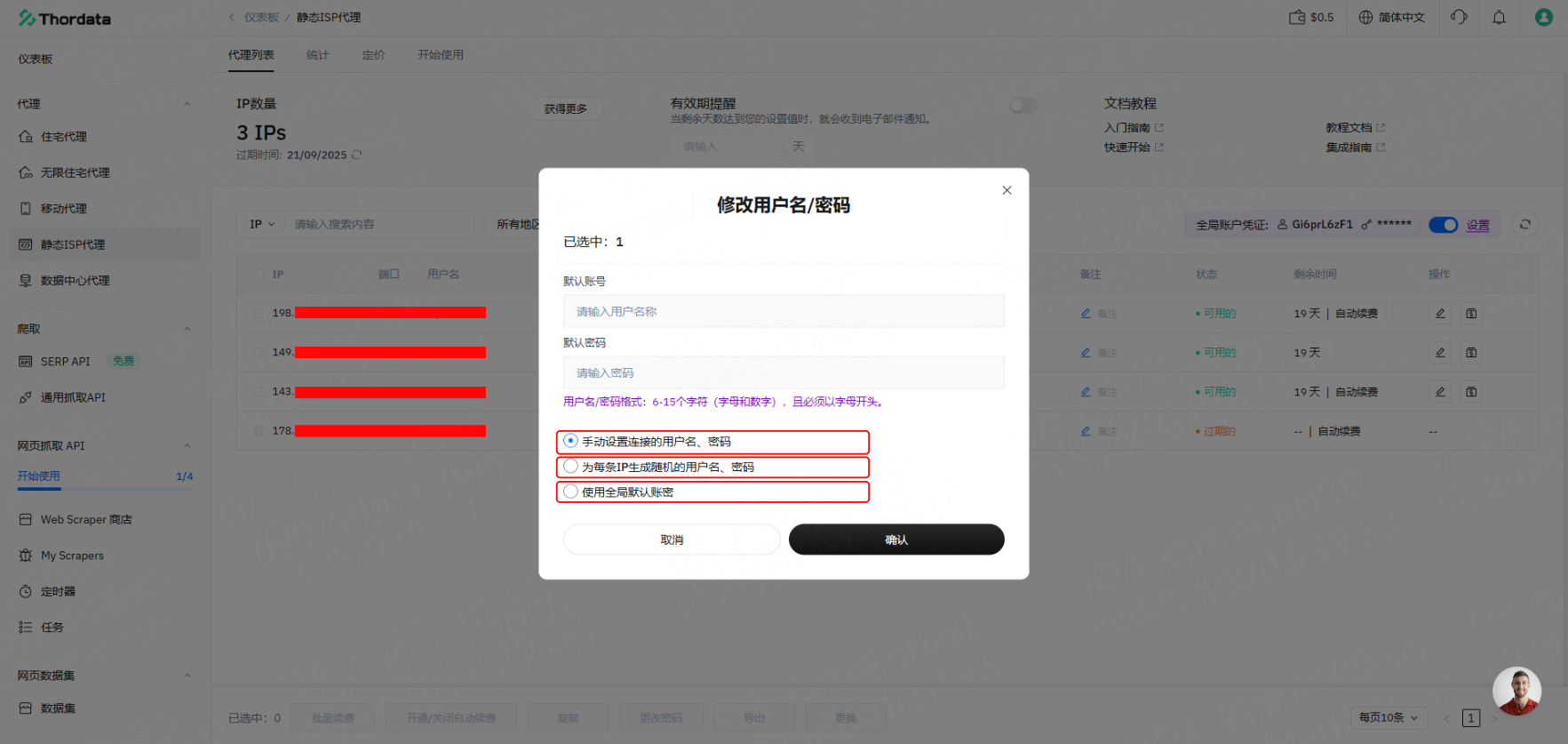
② **编辑账密**:编辑账号密码:选中需要修改账号密码的IP,可选择三种编辑方式:手动设置、随机生成、或使用全局默认账号密码(系统初始设置的统一账号密码,适用于所有代理IP的登录认证)。
③ **续费**:针对单条需要续费的IP,可输入续费时长(支持按“周”或“月”为单位)进行续费操作。
④ **批量续费**:勾选所有需要续费的IP,点击 **【批量续费】** 即可一次性为所选IP完成续费。
⑤ **自动续费**:勾选需要开启自动续费的IP即可启用该功能;如要取消,勾选已开启自动续费的IP并操作取消即可(支持选择续费周期)
⑥ **复制**:可按所选格式复制已勾选IP的信息。
⑦ **导出**:支持将所选IP信息按指定格式导出为TXT文件。
⑧ **更换**:购买套餐后的10分钟内,或IP处于中断状态时,可进行更换操作。
{% endstep %}
{% step %}
### **使用情况统计**
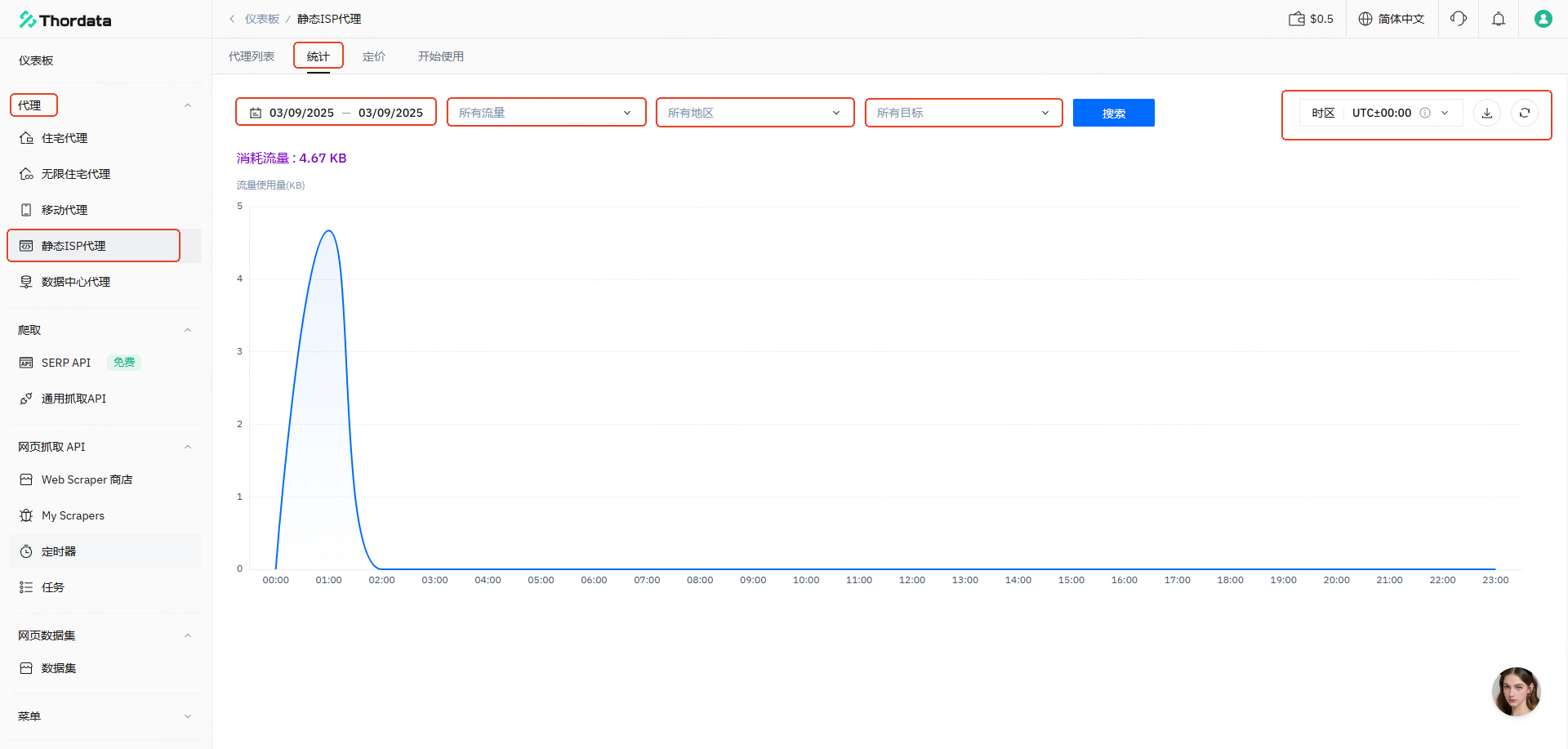
您可以通过访问 Thordata仪表板查看动态住宅代理的使用情况统计。进入仪表板后,依次导航至 **代理 → 静态ISP代理 → 统计** 界面,可以按照时间、IP地址、地区、目标、时区等维度筛选流量使用数据。
{% endstep %}
{% endstepper %}