> For the complete documentation index, see [llms.txt](https://doc.thordata.com/doc/llms.txt). Markdown versions of documentation pages are available by appending `.md` to page URLs; this page is available as [Markdown](https://doc.thordata.com/doc/zh/proxies/ji-cheng-jiao-cheng/shu-ju-zhong-xin-dai-li-ji-cheng/clonbrowser.md).
# ClonBrowser
### 什么是ClonBrowser?
ClonBrowser 是一款功能多样、功能强大的工具,可自动执行重复的线上任务并安全地管理跨不同平台的多个帐户。它提供自订的反检测环境、高级指纹选项和一套自动化模板,是提高效率和隐私的首选。
下面为您介绍如何将Thordata与ClonBrowser集成。
{% stepper %}
{% step %}
### [下载](https://www.clonbrowser.com/download)ClonBrowser,安装并登入ClonBrowser
{% endstep %}
{% step %}
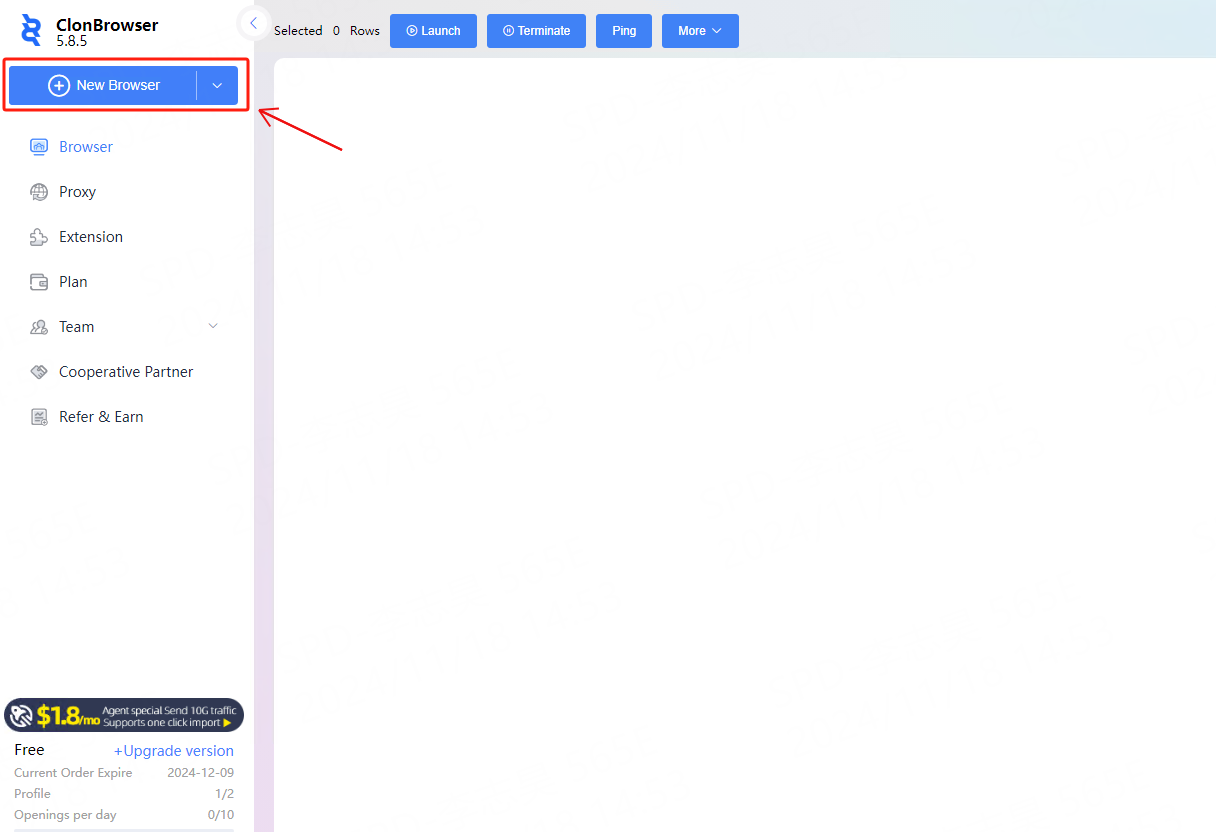
### 点选左侧导航栏【New Browser】开始创建
 {% endstep %}
{% step %}
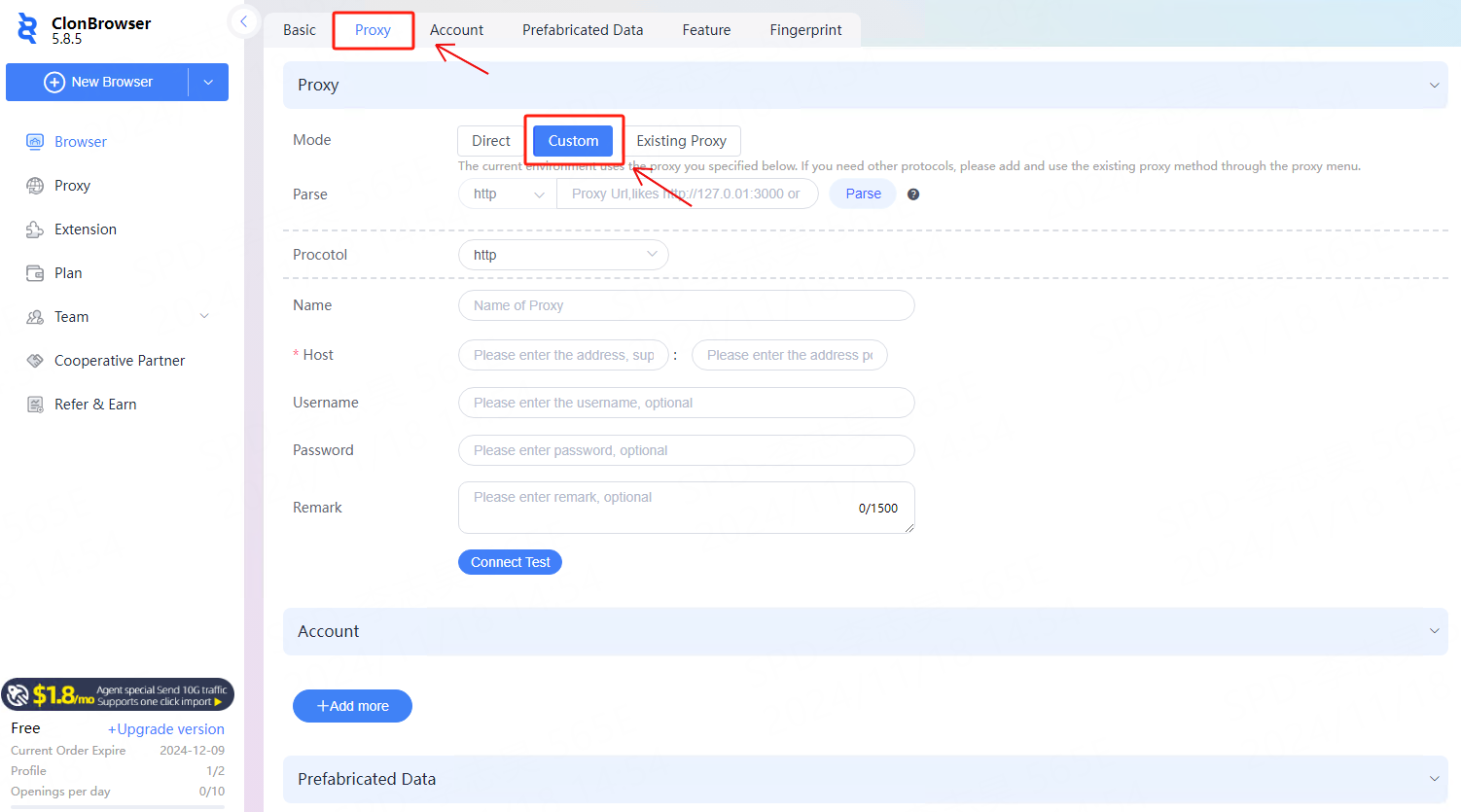
### 点击【Proxy】并在模式中选择【Custom】
{% endstep %}
{% step %}
### 点击【Proxy】并在模式中选择【Custom】
 {% endstep %}
{% step %}
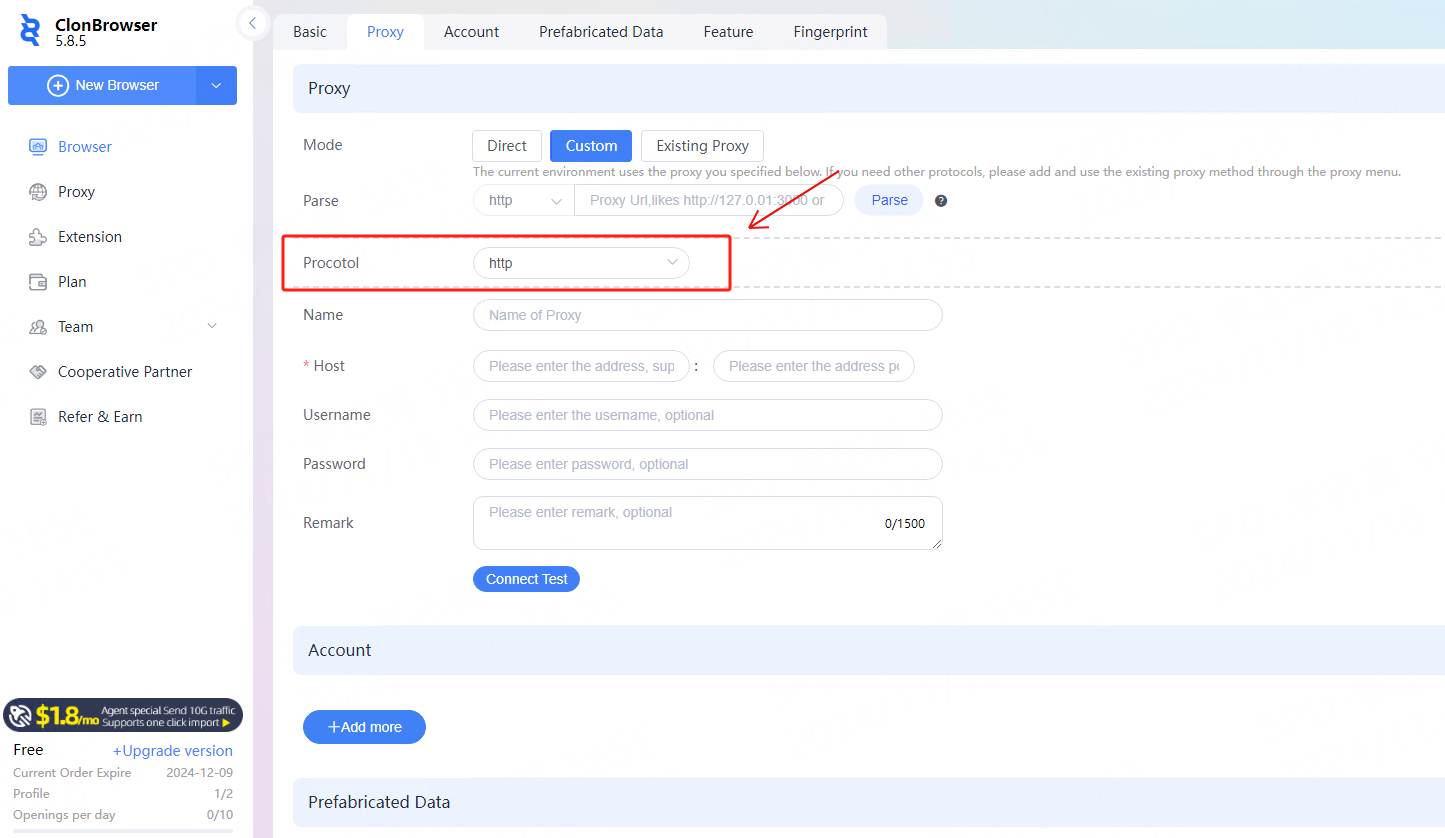
### 在代理类型中选择【HTTP】
{% endstep %}
{% step %}
### 在代理类型中选择【HTTP】
 {% endstep %}
{% step %}
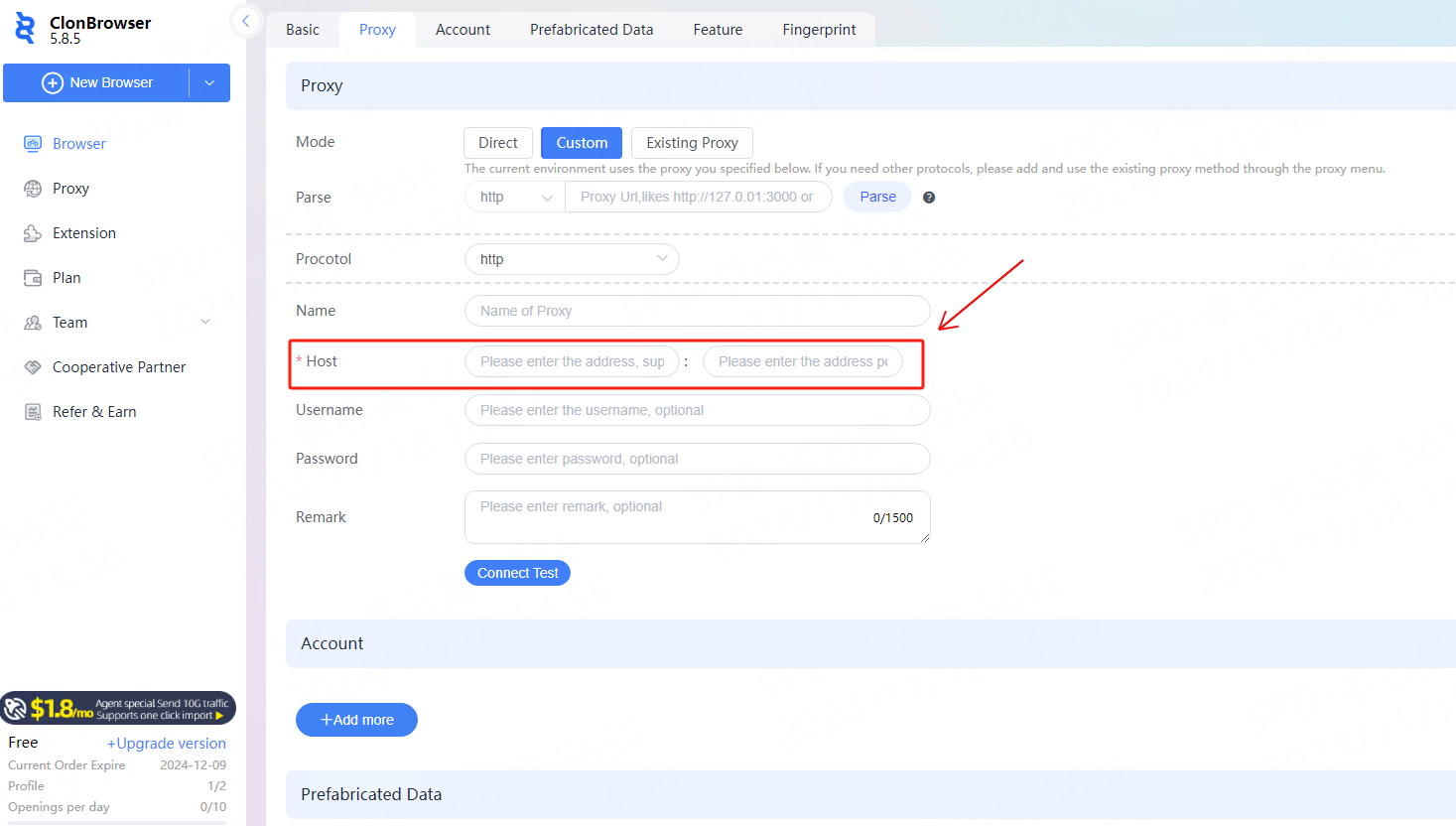
### 输入【主机】和【端口】信息
{% endstep %}
{% step %}
### 输入【主机】和【端口】信息
 {% endstep %}
{% step %}
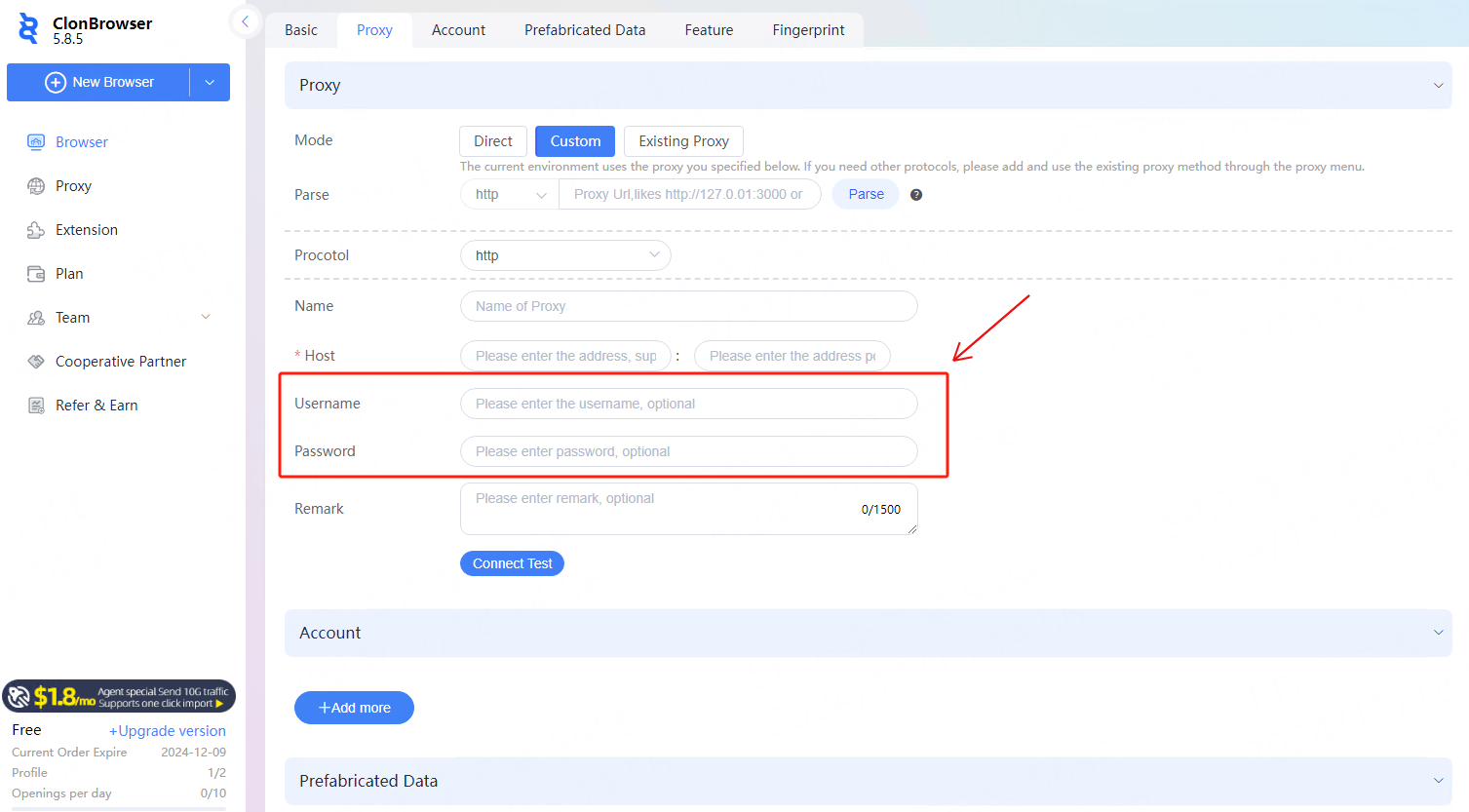
### 输入【代理账号】和【代理密码】
{% endstep %}
{% step %}
### 输入【代理账号】和【代理密码】
 {% endstep %}
{% step %}
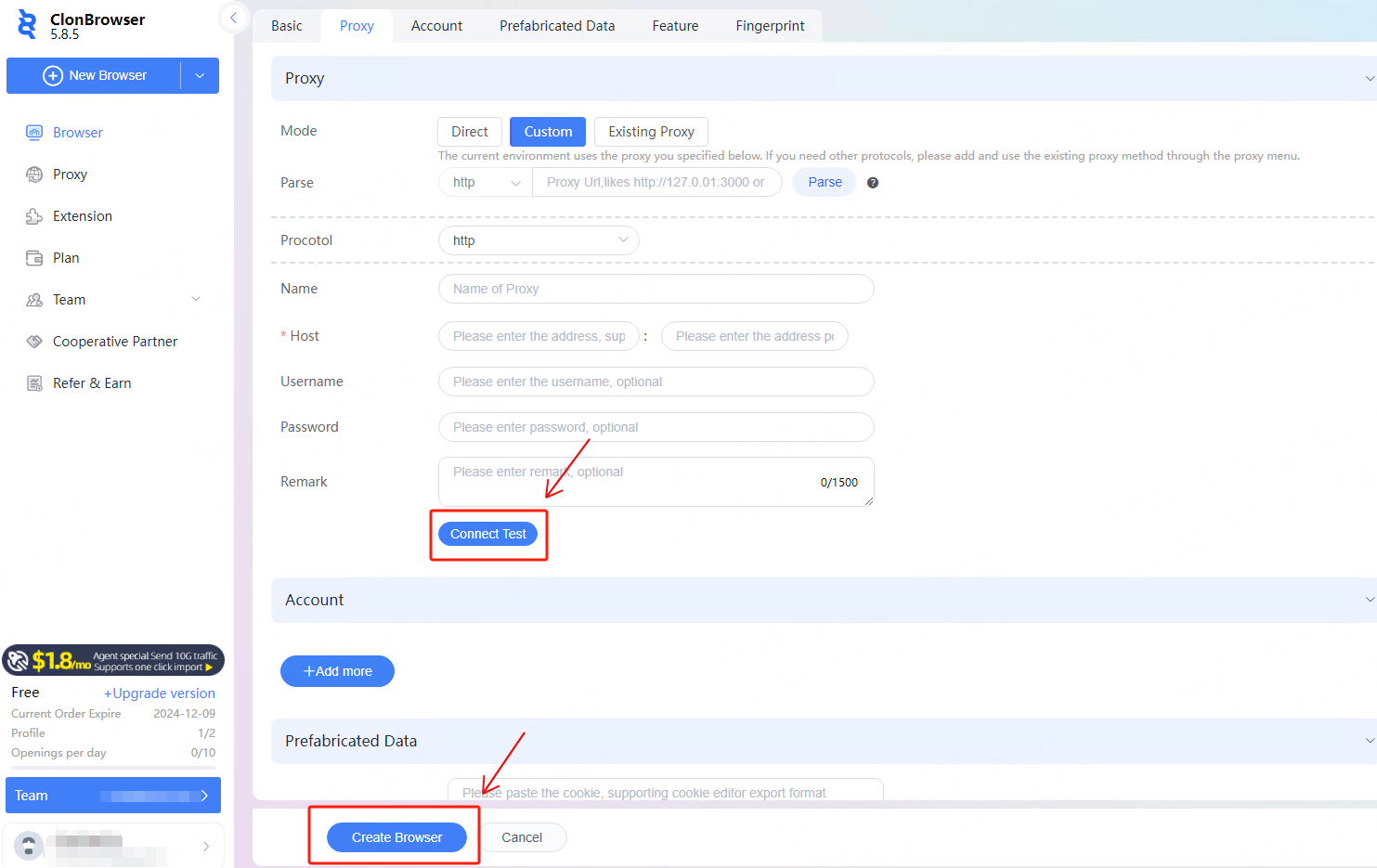
### 代理信息配置完成后,点击【Connect Test】进行测试,确认测试成功后点击【Create Browser】进行创建
{% endstep %}
{% step %}
### 代理信息配置完成后,点击【Connect Test】进行测试,确认测试成功后点击【Create Browser】进行创建
 {% endstep %}
{% step %}
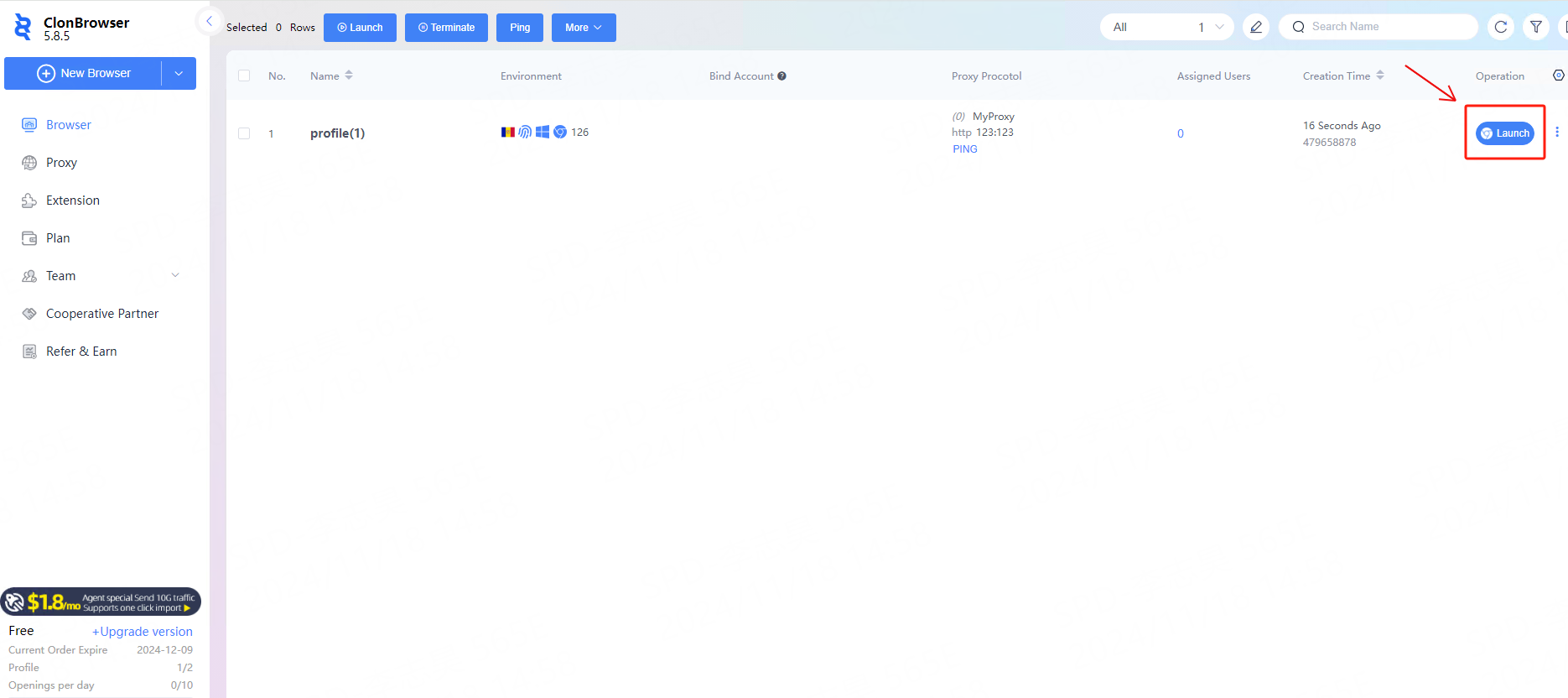
### 创建成功后,点击【Launch】开始使用
{% endstep %}
{% step %}
### 创建成功后,点击【Launch】开始使用
 {% endstep %}
{% endstepper %}
{% endstep %}
{% endstepper %}